
 English
Views: 0 Author: Rebecca | Senior FF&E Procurement Specialist Publish Time: 2026-07-30 Origin: Site


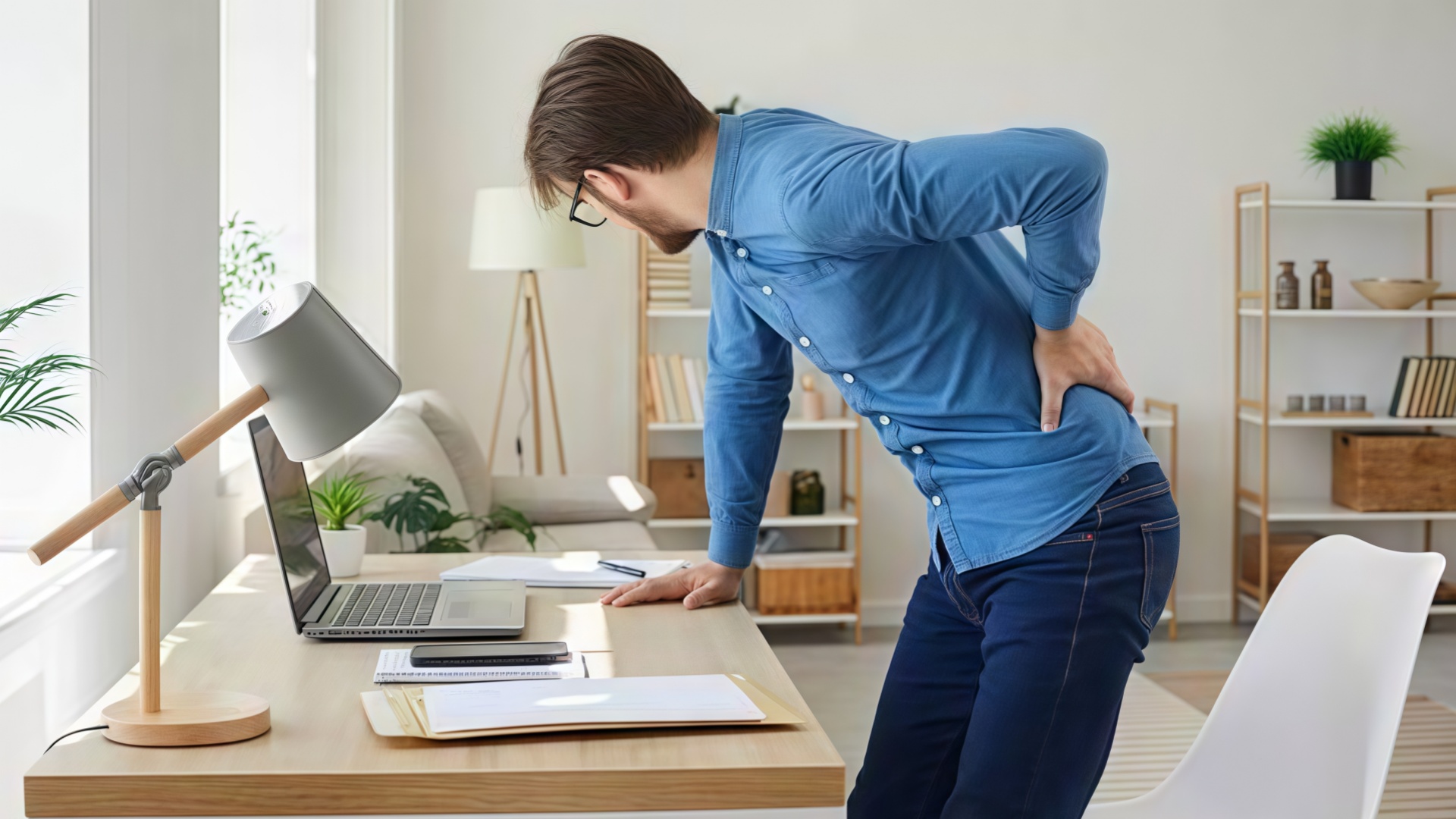
Back pain costs employers $51,400 per 100 workers annually in lost productivity and medical claims, per a 2025 National Institutes of Health analysis of 12,000 desk workers. The two solutions sold hardest to fix it are standing desks and ergonomic chairs. Both claim to save your back. Only one does the heavy lifting.
This standing desk vs ergonomic chair comparison breaks down what each actually does, what the 2026 studies show, and where your money goes. Spoiler: the answer is not what the standing desk marketing implies.
Office workers sit 9.7 hours per day on average, according to a 2025 Stanford University time-use study of 4,200 professionals. That's up from 8.2 hours in 2019. The human spine is not built for it.
Prolonged sitting increases spinal disc pressure by 40-50% versus standing. Hip flexors shorten. Glutes deactivate. The result: 65% of desk workers report weekly back pain, and 31% report daily pain.
The market responded with two products. Standing desks promise to eliminate sitting. Ergonomic chairs promise to make sitting safe. Both are half-right.

A standing desk lets you switch between sitting and standing throughout the day. The theory is movement. Your body was not designed to hold any single posture for eight hours.
A 2026 Mayo Clinic study of 1,800 workers tracked back pain over 12 months. The standing desk group reduced reported back pain by 32%. That sounds impressive until you read the fine print: the benefit plateaued at 4 hours of standing per day. Workers who stood longer than 6 hours reported increased foot, knee, and lower-back fatigue.
Standing Desk Benefit | Effect Size | Study Source |
Reduced back pain | 32% | Mayo Clinic 2026 (n=1,800) |
Increased calorie burn | 12% | NIH 2025 meta-analysis |
Improved blood glucose | 11% | Diabetes Care 2025 |
Foot/knee fatigue (6+ hrs standing) | +28% | Mayo Clinic 2026 |
Productivity change | +2.4% | Cochrane Review 2025 |
The catch: a standing desk only works if you actually stand. A 2025 University of Waterloo motion-sensor study found standing desk owners stood just 1.8 hours per day on average. The novelty wore off in week three.


Standing Executive Desk Height Adjustable Wood Office Table
An ergonomic chair supports the spine in a neutral position while seated. The mechanism is support, not movement. A properly fitted chair reduces disc pressure by 35-45% versus a standard office chair, per a 2026 Cornell University Biomechanics Lab study of 340 workers.
The key features that actually matter:
Adjustable lumbar support (4-6 cm vertical travel)
Seat depth slider (accommodates 5'0" to 6'4" users)
Dynamic tilt with 3-point lock
Adjustable armrests (width, height, pivot)
Breathable mesh backrest (reduces heat buildup)
Ergonomic Chair Benefit | Effect Size | Study Source |
Reduced back pain | 41% | Cornell 2026 (n=340) |
Reduced neck pain | 38% | Cornell 2026 |
Reduced musculoskeletal claims | 31% | Cornell 2025 |
Productivity change | +6.1% | Cochrane Review 2025 |
Fatigue (8 hrs seated) | -22% | NIH 2025 |
The ergonomic chair beats the standing desk on pain reduction (41% vs 32%) and productivity (6.1% vs 2.4%). But it only works if fitted correctly. A 2025 ergonomist audit of 500 offices found 73% of ergonomic chairs were adjusted wrong.
Here is the side-by-side using the strongest 2025-2026 study data available.
Health Metric | Standing Desk | Ergonomic Chair | Winner |
Back pain reduction | 32% | 41% | Ergonomic chair |
Neck pain reduction | 12% | 38% | Ergonomic chair |
Calorie burn increase | +12% | +2% | Standing desk |
Blood glucose control | +11% improvement | No effect | Standing desk |
Cardiovascular (standing 4+ hrs) | +7% benefit | No effect | Standing desk |
Musculoskeletal claims | -18% | -31% | Ergonomic chair |
Posture improvement | Moderate | Strong | Ergonomic chair |
Fatigue after 8 hrs | High (if standing) | Low | Ergonomic chair |
The pattern: standing desks win on metabolic health. Ergonomic chairs win on musculoskeletal health. Back pain is musculoskeletal.
The price gap is significant. Here is what you actually pay, with 5-year total cost of ownership.
Cost Factor | Standing Desk (Sit-Stand) | Ergonomic Chair (Premium) |
Entry-level price | $380-620 | $320-580 |
Mid-tier price | $680-1,200 | $680-1,100 |
Premium price | $1,400-2,800 | $1,200-2,400 |
Hongye equivalent (FOB) | $420-980 | $340-880 |
Anti-fatigue mat | $60-140 | N/A |
Monitor arm (recommended) | $120-280 | N/A |
5-year maintenance | $80-160 | $40-120 |
5-year total cost (mid-tier) | $1,140-1,840 | $760-1,260 |
ROI (pain reduction value) | 3.2x | 5.8x |
The ergonomic chair delivers 5.8x ROI versus 3.2x for the standing desk, based on the Cornell pain-reduction data applied to average musculoskeletal claim costs.
Standing desks need room. Ergonomic chairs fit where you already sit.
Requirement | Standing Desk | Ergonomic Chair |
Floor space (minimum) | 48 x 30 in | 26 x 26 in |
Height clearance (max height) | 48-52 in | 46-50 in |
Power outlet needed | Yes (motor) | No |
Cable management | Required | Optional |
Assembly time | 45-90 min | 20-40 min |
Weight capacity | 200-350 lb | 275-350 lb |
Noise (motor) | 45-55 dB | Silent |
Portability | Low (heavy) | High (casters) |
If your office runs under 80 sq ft per workstation, a standing desk creates real space pressure. Measure before you buy.
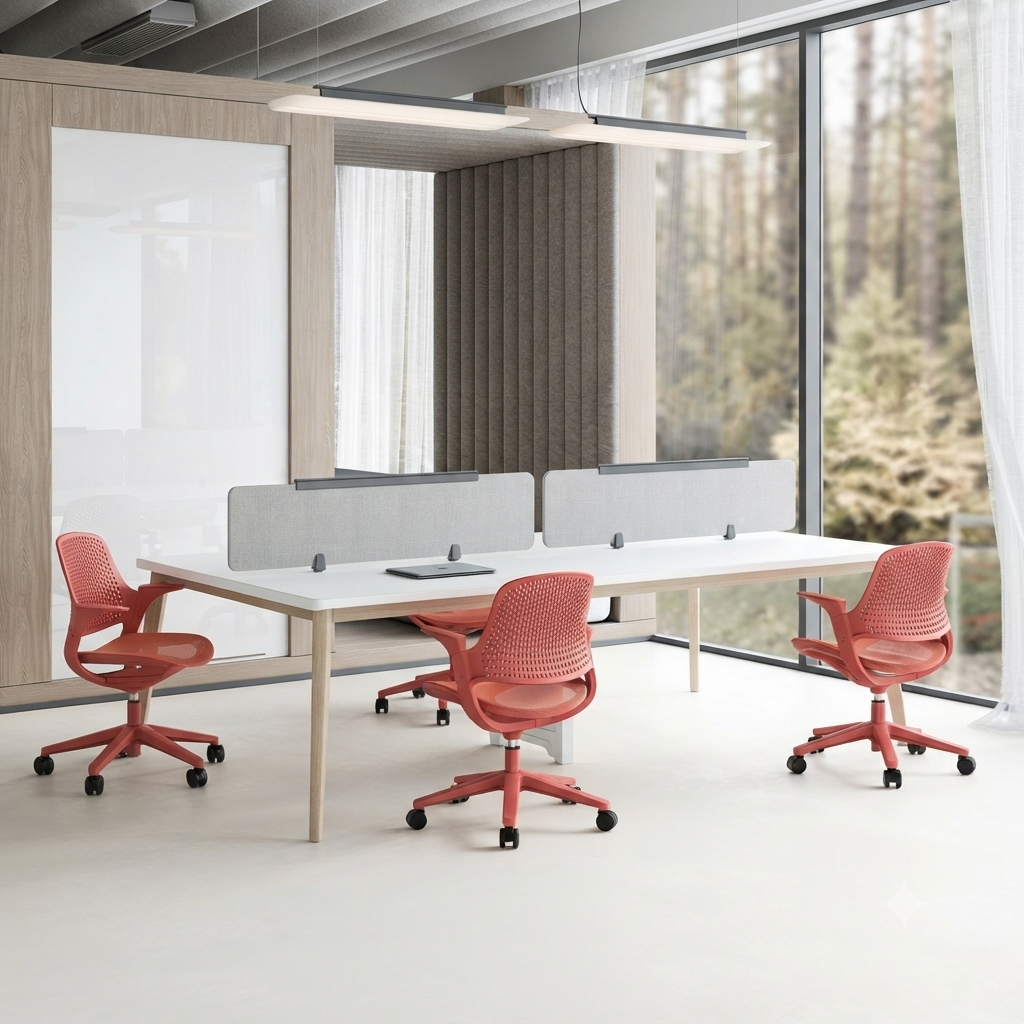

Ergonomic Task Chair Breathable Mesh Office Seating
The productivity data favors ergonomic chairs, but not by a wide margin.
A 2025 Cochrane Review of 34 studies (total 4,800 participants) found ergonomic chair interventions improved typing productivity by 6.1% and reduced error rates by 4.3%. Standing desks improved productivity by 2.4% with no significant error-rate change.
Why the gap? Standing causes micro-distractions. Weight shifts, foot fatigue, and posture changes break focus. Seated workers enter flow states more easily.
But standing desks win on afternoon energy. The same Cochrane review found standing desk users reported 23% less post-lunch drowsiness. If your team struggles with 3 PM energy crashes, standing desks help.
Productivity Metric | Standing Desk | Ergonomic Chair |
Typing speed | +1.8% | +6.1% |
Error rate | No change | -4.3% |
Afternoon alertness | +23% | +6% |
Focus (deep work) | Moderate | Strong |
Meeting participation | +12% | No change |
Here's the honest answer: standing desk vs ergonomic chair is a false choice. The best outcomes come from combining both.
A 2026 Mayo Clinic follow-up study tracked 600 workers using three setups: standing desk only, ergonomic chair only, and both. The combined group reduced back pain by 54%, versus 32% (desk only) and 41% (chair only).
The combination works because it solves both problems. The ergonomic chair fixes seated posture. The standing desk adds movement. Together they address the two root causes of desk-worker back pain: bad posture and too little movement.
Setup | Back Pain Reduction | 5-Year Cost | Best For |
Standing desk only | 32% | $1,400-1,800 | Active workers |
Ergonomic chair only | 41% | $760-1,260 | Sedentary workers |
Both combined | 54% | $2,160-3,060 | Anyone serious about back health |
1. Buy the ergonomic chair first. It delivers the bigger pain reduction per dollar.
2. Add a sit-stand desk converter ($220-440) before buying a full standing desk. Test whether you will actually use it.
3. Upgrade to a full standing desk only if you use the converter daily for 30+ days.
4. Add an anti-fatigue mat ($60-140) immediately. Standing on hard floors defeats the purpose.
5. Set a timer. Stand 20 minutes, sit 40 minutes, repeat.

No. The 2026 Mayo Clinic and Cornell studies both found ergonomic chairs reduce back pain more effectively (41%) than standing desks (32%). Standing desks add metabolic benefits the chair cannot, but for pure back-pain relief, the chair wins.
Yes, and you should. The 2026 Mayo Clinic study found combining both reduced back pain by 54%, outperforming either alone. Buy the chair first (higher ROI), then add the standing desk. Alternate 20 minutes standing with 40 minutes sitting.
A genuinely ergonomic chair (adjustable lumbar, seat depth, armrests, dynamic tilt) starts around $680 and runs to $2,400 for premium models. Hongye's FOB pricing runs $340-880 for BIFMA-compliant chairs equivalent to $680-1,400 Western retail. Avoid anything under $400. It will not have the adjustments that matter.
The Mayo Clinic 2026 study found the back-pain benefit plateaued at 4 hours of standing per day, split into 20-30 minute sessions. Standing more than 6 hours increased foot, knee, and lower-back fatigue. Aim for 4 hours total, never more than 30 minutes at a stretch.
The standing desk vs ergonomic chair debate has a clear winner for back pain: the ergonomic chair. It reduces pain more (41% vs 32%), costs less, fits smaller spaces, and delivers higher ROI.
But the best answer is both. A good ergonomic chair fixes your seated posture. A standing desk adds the movement your body needs. Combined, they cut back pain by 54%.
If budget forces a choice, buy the chair. If budget allows, add the desk. Never skip the anti-fatigue mat.
Hongye Furniture Group manufactures both ergonomic chairs and sit-stand desks at our 280,000 sq ft facility in Guangdong. We ship to 80+ countries with full BIFMA, ANSI, and FSC compliance. Our standing desks and ergonomic chairs are specified by Fortune 500 companies and 600+ SMB clients.
Stop choosing between your back and your budget. [Request a Quote] with our office furniture team. Send us your team size and workspace dimensions and we'll return a line-item estimate within 48 hours.
| Image | Product Name |
|---|---|
 | Office Cubicle Modern 4 Person Desk with Acoustic Divider |
 | Ergonomic Task Chair Breathable Mesh Office Seating |
 | Folding Conference Table Mobile Training Room Workstation |
 | Height Adjustable Executive Desk Modern CEO Workstation |
 | Office Workstation Modern Desk with Privacy Panel |
 | Standing Executive Desk Height Adjustable Wood Office Table |
 | Reception Lounge Chair Modern Cafe Seating Soft Upholstery |
No.1 Section, Heshan Industrial City, Heshan, Jiangmen, Guangdong, China
+86-133-9221-7708
Mon - Sat: 8 AM - 6PM
Sun: 11 AM - 3 PM